
MANUAL EXPENSE TRACKER FOR ANDROID
Your spending.
No bank connection.
Record cash and card purchases yourself, keep everyday records on your phone, and see your month clearly. Walli’s core expense tracking works offline.
For Android · Free core features · Up to 2 accounts
A SMALL, REPEATABLE ROUTINE
From a purchase
to a clearer month.
You supply the records. Walli puts them into an overview you can come back to.
Open a new record.
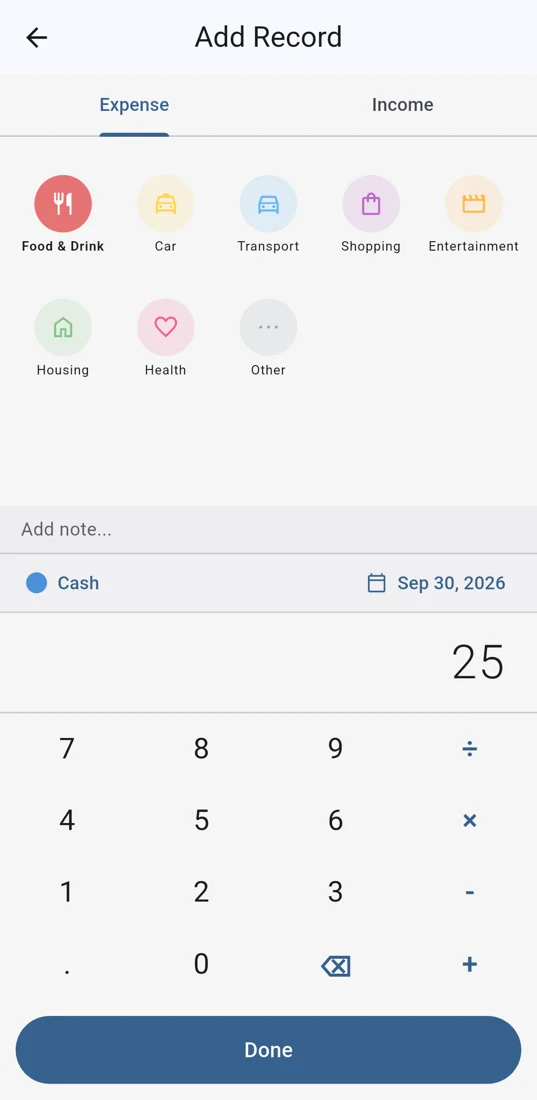
Tap the plus button on the overview and choose Expense. Check the account and date so the purchase goes in the right place.
Give it a category.
Choose a category, enter the amount, and add a note if useful. The built-in calculator can help with the numbers. Tap Done to save.
Look back at your month.
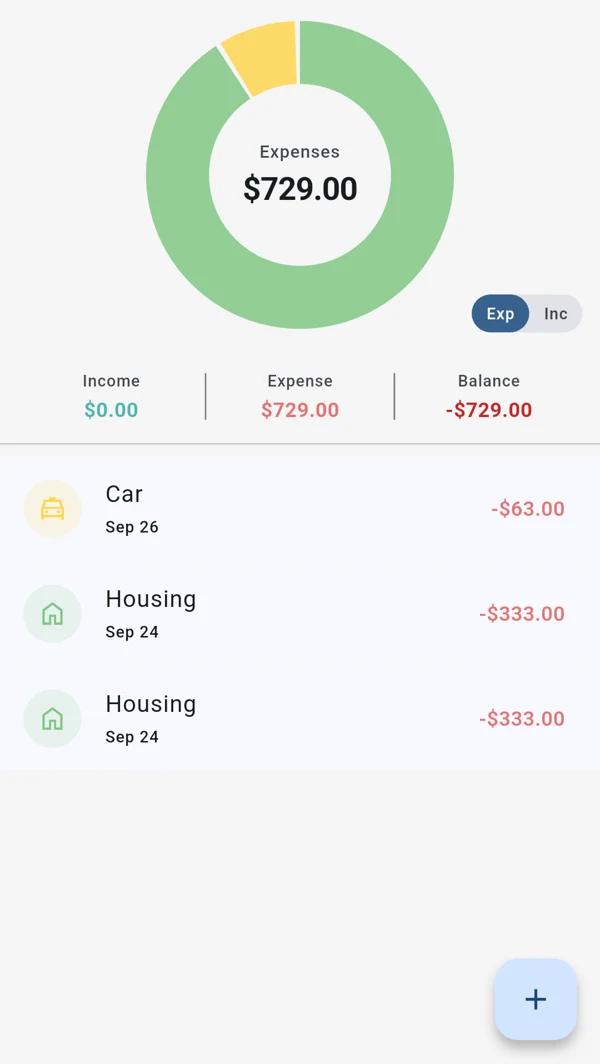
Review the record list and category chart. Your income and expense totals reflect the records you enter, so add missed purchases when you notice them.
CASH & CARD, KEPT SIMPLE
Two accounts.
One everyday habit.
Use one account for cash and another for card spending, if that suits your routine. Both are records you manage in Walli; neither connects to your bank.
Free includes up to two accounts, custom categories, the monthly chart, light and dark mode, CSV export, and local backup and restore. Pro adds more accounts and optional Google Drive sync.
Compare Free & Pro →A card purchase still needs to be entered manually. Walli does not import transactions or check your actual bank balance.
OFFLINE RECORDING. CLEAR BOUNDARIES.
No signal?
Keep the record.
Once the app is installed, you can record and review everyday expenses without an internet connection. Some other parts of the app still use the internet.
Core expense tracking
Add and review income and expenses, organize categories, and view your monthly overview offline.
CSV & local backup
Use Settings to create a CSV for a spreadsheet or a local backup for restoring in Walli. Saving or sharing through a cloud storage provider may need that service’s connection. Export and backup help →
Download, purchases & optional sync
Google Play downloads and purchases need an internet connection. Google Drive sync is optional, requires Pro and Google sign-in, and starts when you choose to sync.
Financial records are stored on your device; optional Drive sync uses your Google account. The Android app also uses usage analytics and crash diagnostics. No bank connection does not mean zero network activity. Read the privacy details →
CHOOSE THE ROUTINE THAT FITS
A little attention,
in your own hands.
Manual tracking can suit you if you want to record cash purchases, prefer not to connect a bank, or need to enter an expense while offline.
Set aside a moment to log purchases and check for anything missed. The overview is only as complete as your records.
Can I use Walli without connecting a bank account?
Yes. Walli is a manual expense tracker. You enter cash and card purchases yourself and can keep them in separate accounts. No bank connection or bank transaction import is part of this process.
Does expense tracking work offline?
Yes. Core recording, reviewing records and the monthly overview work on your phone offline. Downloads, purchases, optional Google Drive sync, analytics and crash diagnostics can use the internet.
Do I need Pro for this routine?
No. Recording income and expenses, categories, the monthly chart and up to two accounts are free. CSV export, local backup and dark mode are also free. Pro adds unlimited accounts, on-demand Google Drive sync and priority email support. See the Free and Pro details.
Is a CSV export the same as a backup?
No. CSV is a copy of transaction records for reading in a spreadsheet. Use Walli’s local backup and restore feature for an app backup. Keep your original files safe before trying a restore. Learn about export and backup.
START WITH YOUR NEXT EXPENSE
A small record.
A clearer everyday.
Try a manual routine with Walli’s free core features.
Get Walli on Google PlayAndroid on Google Play · Optional Walli Pro